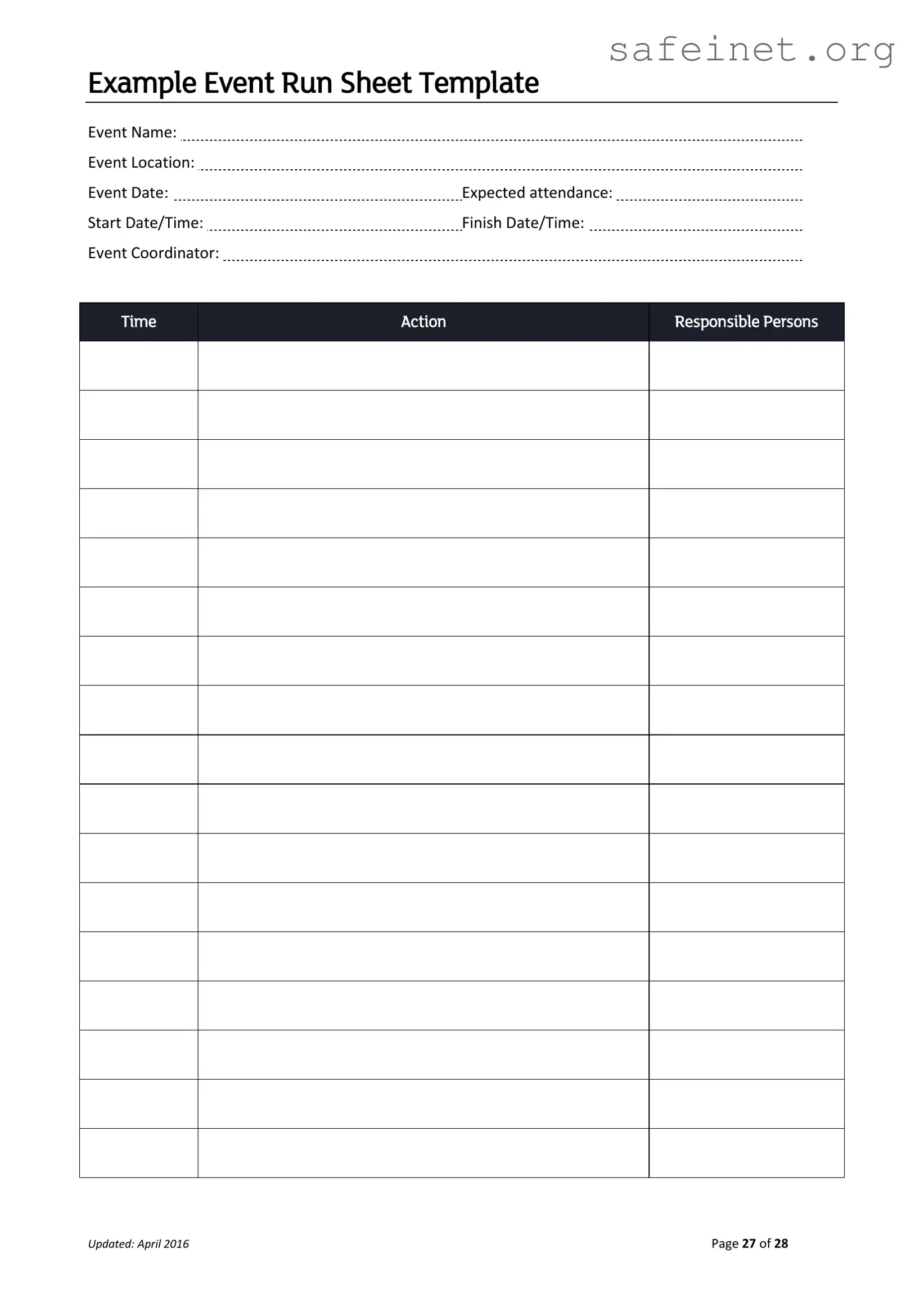
Planning an event can be a complex task, requiring careful organization and attention to detail. One essential tool that can greatly simplify this process is the Running Sheet form. This document serves as a comprehensive guide, outlining the key elements necessary for a successful event. It typically includes vital information such as the event name, location, date, and expected attendance, allowing all team members to stay informed and aligned. Additionally, the form details the start and finish times, ensuring that everyone is aware of the schedule. The role of the event coordinator is also highlighted, providing a point of contact for any questions or concerns. Furthermore, the Running Sheet includes a timeline of actions and assigns responsibilities to various individuals, facilitating smooth communication and execution. By utilizing this structured approach, event planners can enhance their efficiency and ensure that every aspect of the event is accounted for, ultimately leading to a memorable experience for all attendees.
Example Event Run Sheet Template
Event Name: |
|
Event Location: |
|
Event Date: |
Expected attendance: |
Start Date/Time: |
Finish Date/Time: |
Event Coordinator: |
|
Time
Action
Responsible Persons
Updated: April 2016 |
Page 27 of 28 |
| Fact Name | Details |
|---|---|
| Event Name | The title of the event being organized. |
| Event Location | The physical or virtual place where the event will take place. |
| Event Date | The specific date on which the event is scheduled to occur. |
| Expected Attendance | An estimate of the number of participants expected at the event. |
| Start Date/Time | The exact time when the event is set to begin. |
| Finish Date/Time | The scheduled time for the event to conclude. |
| Event Coordinator | The person responsible for overseeing the event's execution. |
| Updated | The last date when the running sheet was revised, noted as April 2016. |
Completing the Running Sheet form is a crucial step in ensuring your event runs smoothly. This form will help you organize important details and assign responsibilities, so everyone knows their role. Follow these steps carefully to fill out the form accurately.
After completing the Running Sheet form, review all entries for accuracy. Ensure that all responsible persons are informed of their tasks. This preparation will lead to a successful event execution.
What is a Running Sheet form and why is it important?
A Running Sheet form is a detailed document that outlines the schedule and logistics for an event. It serves as a roadmap, detailing the sequence of activities, the timing for each action, and the individuals responsible for executing those tasks. This form is crucial for ensuring that everyone involved in the event is on the same page, which helps to minimize confusion and streamline the execution of the event. By clearly defining roles and timelines, the Running Sheet enhances coordination and contributes to the overall success of the event.
What information is typically included in a Running Sheet form?
The Running Sheet form generally includes several key pieces of information. Firstly, it lists the event name, location, and date, which are essential for identifying the specific event. Additionally, the expected attendance helps in planning logistics. The form also includes start and finish times for the event, which are critical for timing management. Lastly, it identifies the event coordinator, who is responsible for overseeing the event's execution. All these elements work together to provide a comprehensive overview of the event's structure.
How can I effectively use a Running Sheet during an event?
To effectively use a Running Sheet during an event, it’s important to distribute copies to all team members involved. Regularly refer to the sheet throughout the event to ensure that everyone is adhering to the planned schedule. Designate someone to monitor the timing and progress of each action item. This person can alert the team if adjustments need to be made. Additionally, it can be helpful to have a designated point of contact for any questions or issues that arise, ensuring that the event runs smoothly and efficiently.
How often should the Running Sheet be updated?
The Running Sheet should be updated as necessary, especially if there are any changes to the event details or logistics. It is advisable to review the sheet regularly leading up to the event, particularly after any meetings or discussions that may affect the schedule. Updates should be communicated to all team members promptly to ensure that everyone is working with the most current information. Keeping the Running Sheet accurate and up-to-date is key to maintaining clarity and organization as the event approaches.
Omitting Essential Information: One common mistake is failing to fill out all required fields. For instance, leaving out the Event Name or Event Date can lead to confusion and miscommunication. Every detail matters, as it helps everyone involved stay on the same page.
Incorrect Timing Details: Entering the wrong Start Date/Time or Finish Date/Time can throw off the entire event schedule. Double-checking these entries ensures that all parties are aware of the timeline and can plan accordingly.
Neglecting to Assign Responsibilities: It's crucial to specify who is responsible for each action listed in the Running Sheet. Failing to do so can lead to tasks being overlooked or duplicated. Clear assignment of duties fosters accountability and smooth event execution.
Not Updating the Document: Keeping the Running Sheet current is vital. If changes occur, such as adjustments to the Event Location or Expected Attendance, these should be reflected immediately. An outdated document can result in logistical challenges and misunderstandings.
The Running Sheet form is an essential document for organizing events. It provides a structured timeline of activities, detailing who is responsible for each task. Along with the Running Sheet, several other forms and documents can enhance event planning and execution. Below is a list of these commonly used documents.
Utilizing these documents in conjunction with the Running Sheet can significantly enhance the planning and execution of an event. Each form plays a specific role, contributing to a smoother and more organized experience for all involved.
The Event Agenda is a document that outlines the schedule of activities for an event. It typically includes the start and end times for each activity, along with the names of the individuals responsible for leading those activities. Like the Running Sheet, it serves as a guide to ensure that the event flows smoothly and stays on track, helping organizers manage time effectively.
A Program Schedule is similar to the Running Sheet in that it details the sequence of events during a gathering. It usually lists performances, speeches, or sessions, along with their respective times. Both documents aim to provide clarity and structure, allowing attendees to know what to expect throughout the event.
The Event Checklist is another related document that ensures all necessary tasks are completed before, during, and after an event. While the Running Sheet focuses on timing and responsibilities during the event, the checklist covers logistical details such as equipment, supplies, and personnel. Both tools are essential for successful event management.
A Task Assignment Sheet also shares similarities with the Running Sheet. It outlines specific tasks assigned to individuals or teams, along with deadlines for completion. While the Running Sheet focuses on actions during the event, the Task Assignment Sheet is often used in the planning phase to ensure all preparations are made ahead of time.
The Call Sheet is a document often used in the film and television industry, but it can be adapted for events. It includes details such as call times, locations, and contact information for all involved. Similar to the Running Sheet, it helps ensure everyone is informed about their responsibilities and timing on the day of the event.
The Itinerary is a document that provides a detailed plan for travel and activities, often used for conferences or retreats. Like the Running Sheet, it includes times and locations for various events. Both documents help participants know where they need to be and when, promoting a well-organized experience.
A Venue Layout is another document that complements the Running Sheet. It provides a visual representation of the event space, showing where activities will take place. While the Running Sheet focuses on timing and actions, the Venue Layout helps organizers and attendees understand the physical arrangement of the event.
The Budget Sheet is crucial for event planning and is somewhat similar to the Running Sheet in that it outlines responsibilities. It details financial allocations for various aspects of the event, including venue, catering, and entertainment. Both documents are essential for ensuring that the event is executed smoothly and within financial constraints.
Finally, a Feedback Form is a document that collects input from attendees after the event. While it serves a different purpose than the Running Sheet, both documents contribute to the overall success of the event. The Running Sheet ensures the event runs smoothly, while the Feedback Form helps organizers learn what worked well and what could be improved for future events.
When filling out the Running Sheet form, it’s important to follow certain guidelines to ensure accuracy and clarity. Here’s a list of things to do and avoid:
Understanding the Running Sheet form is essential for effective event planning. However, several misconceptions can lead to confusion. Here are four common misunderstandings:
Addressing these misconceptions can enhance your understanding and use of the Running Sheet form, leading to more organized and successful events.
When filling out and using the Running Sheet form, consider the following key takeaways: