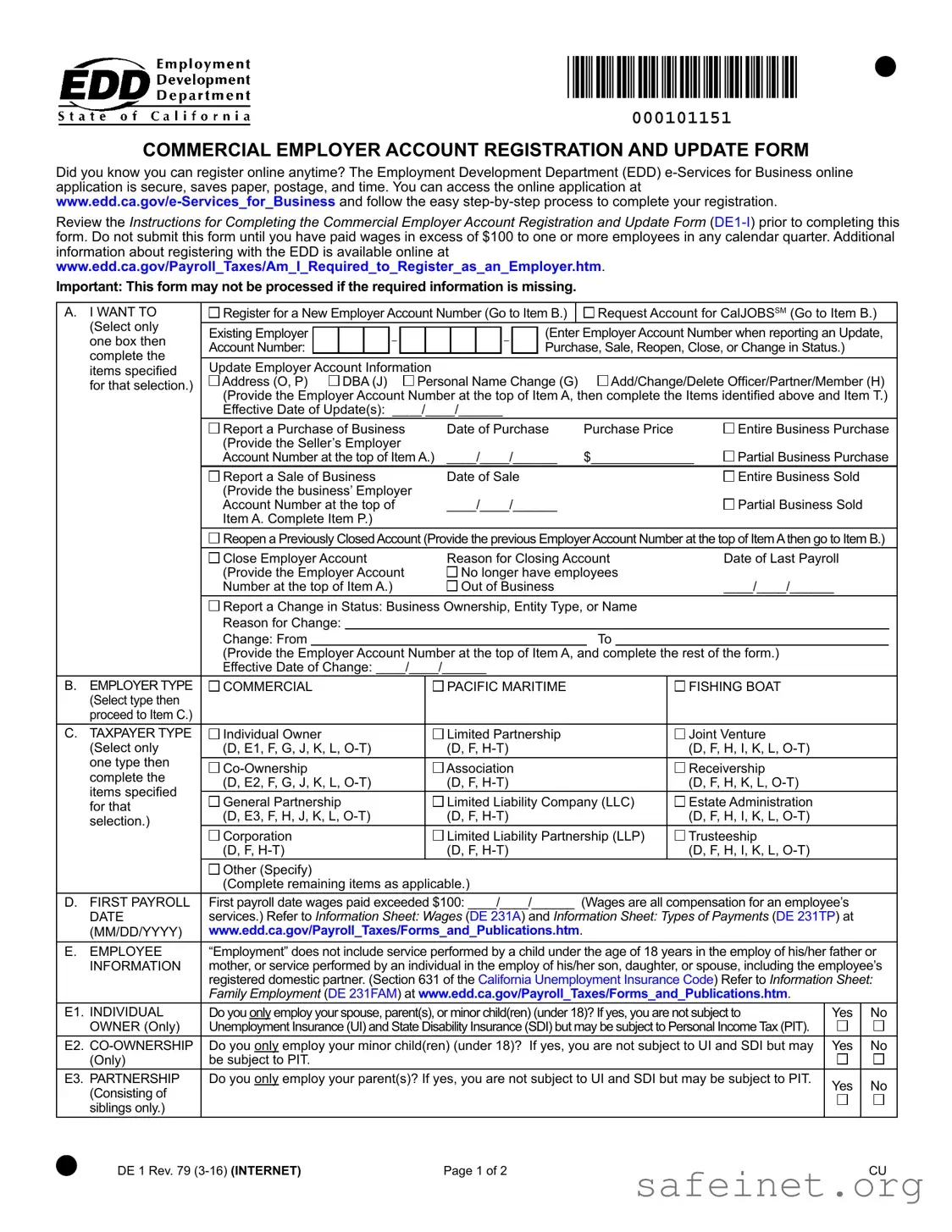
The DE 1 EDD form, also known as the Commercial Employer Account Registration and Update Form, serves a crucial role for businesses in California. This form allows employers to register for a new employer account number, update existing account information, or report changes in business status. It is essential to complete this form accurately to ensure that the Employment Development Department (EDD) can process it without delays. Before submitting the form, employers must have paid wages exceeding $100 to at least one employee in any calendar quarter. The form includes sections for various updates, such as changes in ownership, business structure, or address. Additionally, it provides options for employers to report the purchase or sale of a business, as well as to close an account if necessary. Employers can also register online through the EDD's e-Services for Business platform, which streamlines the process and reduces paperwork. It is advisable to review the accompanying instructions before filling out the form to avoid missing any required information, as incomplete submissions may not be processed. For further guidance, additional resources are available on the EDD website.
| Fact Name | Fact Description |
|---|---|
| Form Purpose | The DE 1 EDD form is used for registering and updating a commercial employer account in California. |
| Online Registration | Employers can register online anytime through the EDD e-Services for Business application. |
| Wage Requirement | Submission of the form is required only after paying wages exceeding $100 to one or more employees in a calendar quarter. |
| Missing Information | The form may not be processed if any required information is missing. |
| Employer Account Types | Various employer types can be selected, including Individual Owner, Corporation, and Limited Liability Company (LLC). |
| First Payroll Date | The form requires the date when wages first exceeded $100 to be reported. |
| Family Employment Exemption | Employment of certain family members may exempt the employer from Unemployment Insurance (UI) and State Disability Insurance (SDI). |
| California Requirement | Employers must indicate if they have employees working in California or residing in California but working outside the state. |
| Mailing Address | Employers can provide a mailing address that includes a PO Box, which is acceptable for correspondence. |
| Declaration | Employers must certify the accuracy of the information provided under penalty of perjury. |
After gathering the necessary information, you can proceed to fill out the DE 1 EDD form. This form is essential for registering or updating your employer account with the Employment Development Department (EDD). Ensure that you have all required details at hand before starting, as missing information may delay processing.
Once completed, mail the form to the specified address: EDD, Account Services Group, MIC 28, PO Box 826880, Sacramento, CA 94280-0001.
What is the DE 1 EDD form used for?
The DE 1 EDD form is the Commercial Employer Account Registration and Update Form. It is used by businesses to register for a new employer account number or to update existing account information with the Employment Development Department (EDD). This form is essential for employers who have paid wages exceeding $100 to employees in any calendar quarter.
Can I register online instead of using the DE 1 form?
Yes, you can register online at any time. The EDD offers an e-Services for Business online application that is secure and efficient. This online process saves paper, postage, and time. You can access the application at www.edd.ca.gov/e-Services_for_Business and follow the step-by-step instructions to complete your registration.
When should I submit the DE 1 form?
You should only submit the DE 1 form after you have paid wages exceeding $100 to one or more employees in any calendar quarter. If you have not met this threshold, you should wait until you have done so before submitting the form.
What happens if I submit the DE 1 form with missing information?
If the DE 1 form is submitted with missing required information, it may not be processed. To ensure your form is accepted, carefully review all sections and provide complete and accurate information before submission.
What types of updates can I request using the DE 1 form?
You can request various updates using the DE 1 form, including changes to your employer account number, business ownership, entity type, or name. You may also report a purchase or sale of a business, reopen a previously closed account, or update officer or partner information.
Is there any specific information I need to provide about my employees?
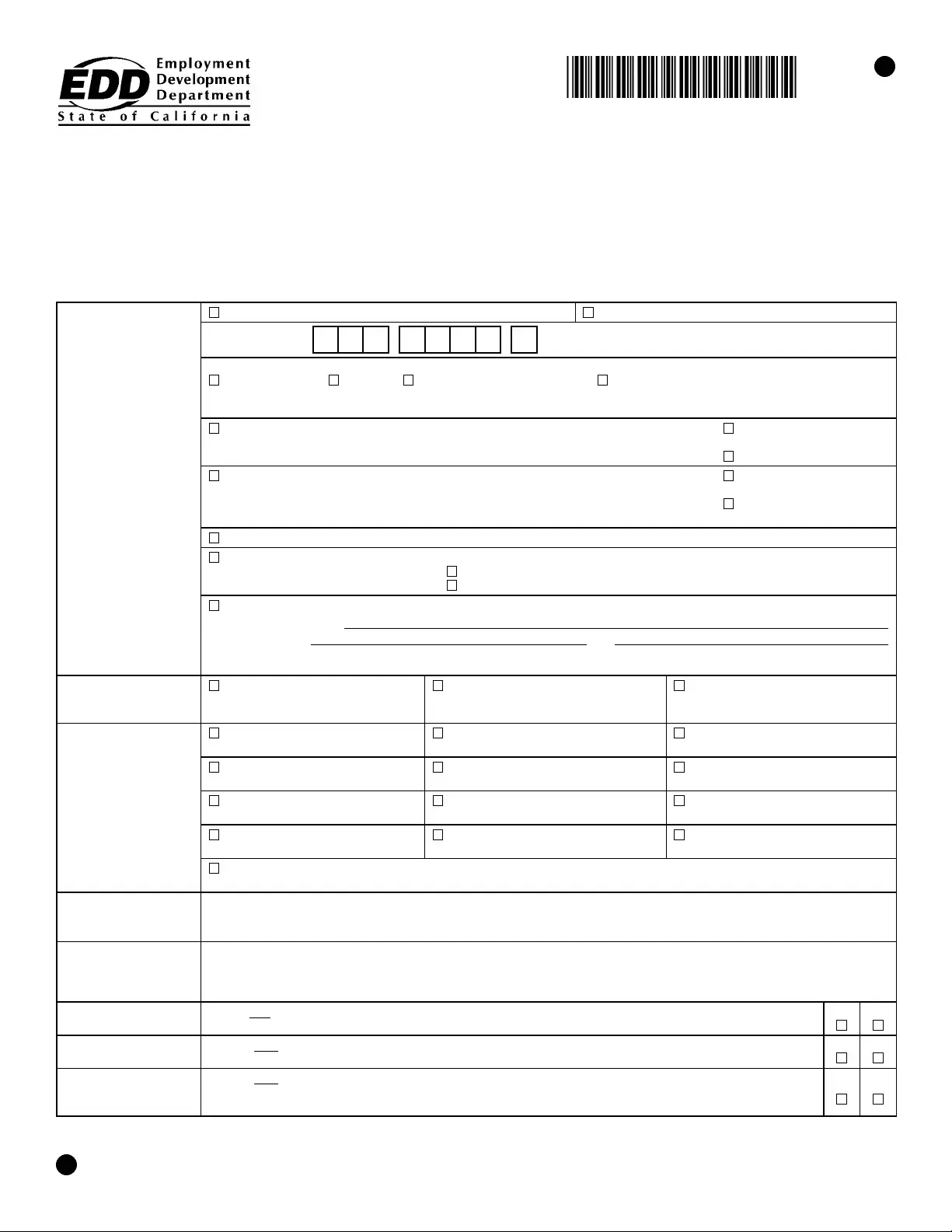
Yes, you need to provide information about your employees, including whether they work in California or reside in California but work outside the state. Additionally, you must indicate if you only employ your spouse, parent(s), or minor child(ren), as this affects your obligations regarding Unemployment Insurance and State Disability Insurance.
Where should I send the completed DE 1 form?
Once you have completed the DE 1 form, mail it to the following address: EDD, Account Services Group, MIC 28, PO Box 826880, Sacramento, CA 94280-0001. Ensure you have included all necessary information to avoid processing delays.
Filling out the DE 1 EDD form can be straightforward, but there are common mistakes that people often make. Here are six mistakes to watch out for:
People sometimes forget to fill in all the necessary fields. If any required information is missing, the form may not be processed.
Providing an incorrect or outdated Employer Account Number can lead to delays. Always double-check this number before submitting.
Some individuals submit the form before they have paid wages exceeding $100 in a calendar quarter. This is a requirement that must be met first.
Entering incorrect dates for payroll or business transactions can cause confusion. Ensure all dates are accurate and formatted correctly.
Many people overlook the instructions for completing the form. Reviewing the instructions can prevent mistakes and save time.
Listing a PO Box instead of a physical address can lead to rejection. The form requires a valid street address for the business location.
By being aware of these common mistakes, individuals can improve their chances of successfully completing the DE 1 EDD form on the first attempt.
The DE 1 EDD form is essential for registering a new employer account with the California Employment Development Department (EDD). Along with this form, several other documents are often utilized to facilitate various aspects of employer registration and compliance. Below is a list of these documents, each described briefly to provide clarity on their purposes.
Each of these documents plays a crucial role in ensuring compliance with state and federal employment regulations. Properly managing these forms can help avoid potential issues and ensure a smooth registration process with the EDD.
The DE 1 EDD form is similar to the IRS Form SS-4, which is used for applying for an Employer Identification Number (EIN). Both forms serve the purpose of registering a business for tax purposes. The DE 1 EDD form is specific to California and focuses on employer accounts, while the SS-4 is a federal form that applies nationwide. Completing either form is essential for businesses that plan to hire employees, as it establishes their tax obligations and identification with the respective authorities.
Another document comparable to the DE 1 EDD form is the California Form DE 9, which is the Quarterly Contribution Return and Report of Wages. This form is used by employers to report wages paid and contributions owed for unemployment insurance. Like the DE 1 EDD, the DE 9 requires detailed information about employees and wages. Both forms are part of the compliance process for businesses operating in California and are necessary for maintaining accurate payroll records.
The California Form DE 34, also known as the Report of New Employee(s), is another document similar to the DE 1 EDD form. This form must be completed when a new employee is hired. It serves to notify the state of new hires for tax and child support purposes. Both forms are crucial for ensuring that employers meet their reporting obligations, thereby helping maintain accurate records for state employment regulations.
Additionally, the IRS Form 941, the Employer's Quarterly Federal Tax Return, is akin to the DE 1 EDD form. This federal form is used to report income taxes, Social Security tax, and Medicare tax withheld from employee paychecks. While the DE 1 EDD focuses on California-specific employer registration, both forms are integral to the overall payroll process and compliance with tax laws.
The California Form DE 3, known as the Annual Report of Wages, is another document that shares similarities with the DE 1 EDD form. This form summarizes the wages paid and taxes withheld over the course of a year. Both forms are necessary for employers to fulfill their reporting requirements to the Employment Development Department and ensure compliance with state regulations regarding employee wages and taxes.
The California Form DE 1870, which is used for reporting independent contractors, also has similarities to the DE 1 EDD form. Both forms require the disclosure of business information and the nature of employment. While the DE 1 EDD is focused on employer registration, the DE 1870 is specifically for independent contractor reporting, emphasizing the different employment relationships that exist within a business.
Lastly, the California Form 1099-MISC, which is used to report payments made to independent contractors, is comparable to the DE 1 EDD form. Both forms require detailed information about the business and the individuals being reported. While the DE 1 EDD is primarily concerned with employer registration and updates, the 1099-MISC focuses on payments made to individuals who are not classified as employees, thus highlighting different aspects of business operations.
When filling out the DE 1 EDD form, there are several important guidelines to follow to ensure a smooth registration process. Here are four things you should and shouldn't do:
Understanding the DE 1 EDD form can be challenging, and several misconceptions often arise. Here are nine common misconceptions explained:
Here are key takeaways for filling out and using the DE 1 EDD form:
Filling out the DE 1 EDD form accurately and completely is crucial for compliance and efficient processing. Keep these points in mind as you navigate the registration process.