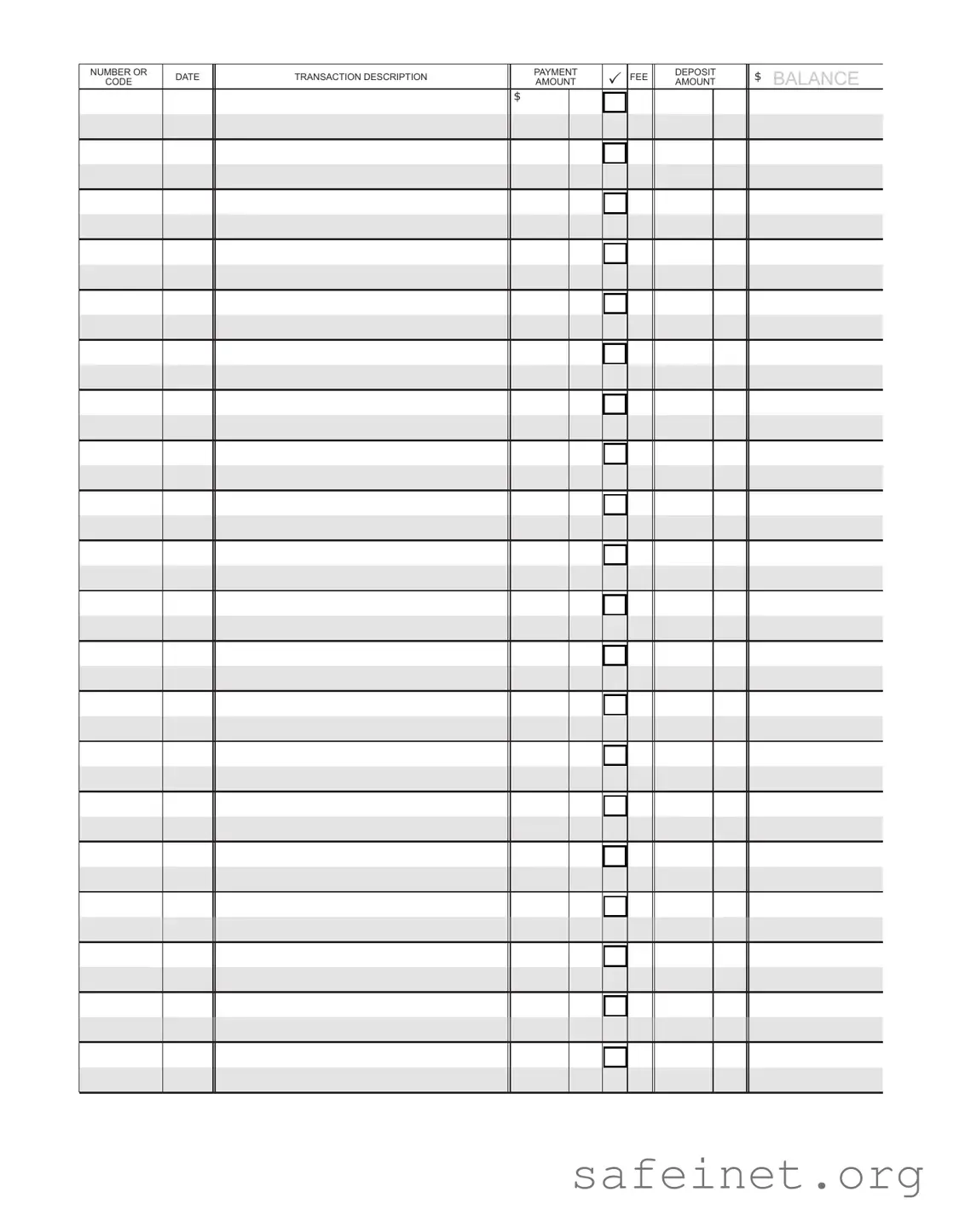
The Check Register form serves as a vital tool for individuals and businesses alike, providing a clear and organized way to track financial transactions. This form typically includes essential details such as the date of each transaction, the check number, the payee, and the amount paid or received. Additionally, it may feature columns for recording deposits and withdrawals, helping users maintain an accurate balance. By using this form, one can easily monitor spending, reconcile bank statements, and identify any discrepancies in financial records. The Check Register is not just a record-keeping tool; it empowers users to manage their finances with confidence and clarity, ensuring that every dollar is accounted for and that financial goals can be met effectively.
| Fact Name | Description |
|---|---|
| Purpose | The Check Register form is used to track all checks written and payments made from a bank account, helping individuals and businesses maintain accurate financial records. |
| Components | This form typically includes fields for the date, check number, payee, amount, and a running balance, ensuring comprehensive tracking of transactions. |
| Legal Requirement | While not mandated by federal law, many states require businesses to maintain accurate financial records, which can include the use of a Check Register form under state accounting regulations. |
| State-Specific Law | In California, for example, the California Corporations Code Section 1500 requires corporations to keep detailed financial records, which can be fulfilled by maintaining a Check Register. |
Filling out the Check Register form is a straightforward process. Once completed, this form will help you keep track of your checking account transactions. It will be easier to manage your finances and ensure accuracy in your records.
What is a Check Register form?
A Check Register form is a tool used to track all transactions related to your checking account. It allows you to record deposits, withdrawals, and checks written. By keeping a detailed record, you can easily monitor your account balance and ensure that you are aware of all activity in your account.
How do I fill out a Check Register form?
To fill out a Check Register form, start by entering the date of each transaction. Next, note whether it is a deposit or a withdrawal. For withdrawals, include the check number if applicable. Then, write the amount of the transaction. After that, calculate your running balance by adding deposits and subtracting withdrawals. This will help you keep track of your current balance at all times.
Why is it important to use a Check Register form?
Using a Check Register form is important for several reasons. It helps you maintain an accurate record of your finances, which can prevent overdraft fees. It also allows you to spot any unauthorized transactions quickly. Additionally, keeping a check register can assist you in budgeting and managing your money more effectively.
How often should I update my Check Register form?
You should update your Check Register form every time you make a transaction. This includes deposits, withdrawals, and any fees. Regular updates ensure that your records are accurate and up-to-date, making it easier to track your spending and manage your finances.
Can I use a digital version of a Check Register form?
Yes, you can use a digital version of a Check Register form. Many banking apps and financial software programs offer features that allow you to track your transactions electronically. Digital versions can provide additional benefits, such as automatic balance calculations and easy access to your transaction history. However, it's still important to regularly review and reconcile your records to ensure accuracy.
Neglecting to record every transaction: Many individuals forget to log all transactions, including small purchases or fees. This can lead to discrepancies between the check register and actual bank balance.
Failing to update the register promptly: Delays in updating the check register can result in overspending. It’s crucial to record transactions immediately to maintain an accurate balance.
Incorrectly calculating the balance: Simple math errors can occur when adding or subtracting transactions. Double-checking calculations can help prevent these mistakes.
Not using clear descriptions: Vague or unclear descriptions of transactions can lead to confusion later. Describing each entry with specific details aids in tracking spending habits.
Ignoring bank fees and interest: Some people overlook bank fees or interest earned. Including these in the register ensures a more accurate financial picture.
The Check Register form is an essential tool for tracking all checks written from a bank account. However, several other documents complement it, providing a comprehensive view of financial transactions. Below are some commonly used forms and documents that work alongside the Check Register form.
Using these forms and documents alongside the Check Register form can enhance financial tracking and management. Together, they provide a clearer picture of an individual’s or organization’s financial activities.
The Check Register form is similar to a Bank Statement in that both documents provide a detailed account of transactions within a specific time frame. A Bank Statement lists all deposits, withdrawals, and fees, allowing individuals to track their financial activity. Like the Check Register, it helps users reconcile their accounts and ensure that their records match those of the bank. This document serves as a snapshot of one’s financial health, highlighting any discrepancies that may need to be addressed.
Another document that shares similarities with the Check Register is the Ledger. A Ledger is a comprehensive record that tracks all financial transactions for a business or individual. While the Check Register focuses primarily on checks and deposits, the Ledger encompasses all types of transactions, including credit card payments and cash sales. Both documents facilitate tracking of income and expenses, providing a clear picture of financial status over time.
The Invoice is also comparable to the Check Register. An Invoice details a transaction between a buyer and a seller, including the goods or services provided and the payment terms. While the Check Register records payments made via checks, an Invoice serves as a request for payment. Both documents are essential for maintaining accurate financial records and ensuring that all transactions are accounted for, thus aiding in budgeting and financial planning.
Receipts function similarly to the Check Register as well. A Receipt is proof of a transaction, providing details such as the date, amount, and nature of the purchase. While the Check Register records the payment method and transaction history, Receipts serve as documentation of individual purchases. Together, they help individuals and businesses track their spending and manage their finances effectively.
The Expense Report is another document that aligns closely with the Check Register. An Expense Report is used to itemize and summarize expenses incurred during a specific period, often for reimbursement purposes. Like the Check Register, it tracks outgoing funds and provides a clear overview of financial activity. Both documents are vital for maintaining accurate financial records and ensuring accountability in spending.
Bank Reconciliation Statements are similar in purpose to the Check Register. These statements are used to compare the bank’s records with an individual’s or business’s records to identify any discrepancies. The Check Register provides the transaction history that is reconciled against the bank statement. This process is crucial for ensuring that all transactions are accurately recorded and that the account balance is correct.
Lastly, the Financial Statement shares similarities with the Check Register. A Financial Statement summarizes an individual’s or business’s financial position, including assets, liabilities, and equity. While the Check Register focuses on individual transactions, the Financial Statement provides a broader overview of financial health. Both documents are essential for understanding financial status and making informed decisions about budgeting and investments.
When filling out the Check Register form, it is crucial to ensure accuracy and clarity. Here are some important dos and don'ts to keep in mind:
By following these guidelines, you can maintain a clear and accurate check register, which is essential for effective financial management.
Many people have misunderstandings about the Check Register form. Let's clarify some common misconceptions:
This is not true. Individuals can also use a Check Register to track personal finances, including expenses and deposits.
In reality, you should update the Check Register whenever you make a transaction, whether it's writing a check, making a deposit, or incurring a fee.
While online banking provides convenience, a Check Register helps you maintain a clear and organized record of your transactions.
Memory can be unreliable. Keeping a complete and accurate Check Register ensures you don’t overlook any expenses or deposits.
Although it is commonly used for checking accounts, it can also be adapted for savings accounts or any account where you want to track transactions.
Reconciliation is essential. It helps ensure that your records match your bank statements, which can prevent errors and fraud.
While there are various formats, a standard Check Register format is designed to capture all necessary information efficiently.
Even with technology, a Check Register remains a valuable tool for many people who prefer a tangible way to track their finances.
Once you establish a routine, keeping your Check Register updated can take just a few minutes after each transaction.
Filling out and using a Check Register form is essential for managing personal finances. Here are some key takeaways to keep in mind: